Geo‑precise data sharing
TL;DR Summary
click to expand
Marketers can now use Country Filters in the Kochava Postbacks dashboard to precisely control which first-party data is shared with media partners based on country. This Kochava product update enables quick adaptation to data sharing policies, regulations, and strategies without requiring app updates or SDK integration changes.
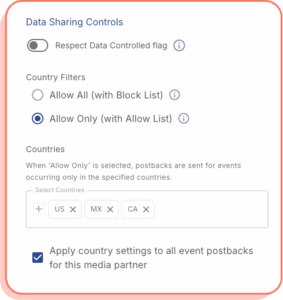 Marketers can now control how their data postbacks are sent to media partners by country—directly in the Kochava Postbacks dashboard. This provides a new level of control around first-party data syndication with your partners, enabling you to adapt quickly as data sharing policies, regulations, and/or strategies evolve.
Country Filters in Partner Configuration let you:
- Choose your filtering model per partner
- Allow All (with Block List): Send postbacks for all countries except the ones you exclude.
- Allow Only (with Allow List): Send postbacks only for events logged in selected countries.
- Apply settings in bulk
- Apply to all event postbacks for a given partner with one checkbox if your geo rules are the same across the board.
- Make adjustments without dev resources or app updates
- Changes made in the dashboard take effect immediately. Marketers do not need to coordinate dev resources to release a new app build or update software development kit (SDK) integration with Kochava.
Use Cases for Invoking Country Filters
Advertisers often launch marketing campaigns with multiple media partners that operate in different countries. Some advertisers may have varying data sharing rules with certain partners. For instance, an ad network operating exclusively in Japan should receive postbacks only for events occurring within Japan. Similarly, a different ad network could be active in all countries but restricted from receiving postback data for certain countries.
More real-world use cases for postback filtering by country:
- Regional exclusivity: An EMEA-only partner receives installs and in-app event postbacks from European countries, nowhere else.
- Global partner with exclusions: A worldwide network receives all events except for a handful of countries due to deal terms or performance.
- Privacy by design: Limit postback syndication in regions with stricter laws (e.g., GDPR, PIPA) to minimize data exposure and align with internal policies.
- Fraud mitigation: Exclude high-risk regions from postback syndication to keep downstream systems clean and partner relationships strong.
If you have use cases you would like to explore for postback country filters, please contact your Client Success Manager or email support@kochava.com.
How to Set Up Country Filters for Your Postbacks
Setting up postback country filters is straightforward. The settings are managed at the individual media partner/ad network level for each of your apps.
- Log in to Kochava.
- Select the app you want to manage.
- Navigate to Partner Configuration and find the desired media partner.
- Expand the Postbacks section and select the postback you want to update.
- Within the Edit Postback side drawer, locate Country Filters under the Data Sharing Controls section.
- Pick Allow All or Allow Only and select the countries that match your policy.
- Optionally, check “Apply country settings to all event postbacks” to enforce the same filtering rules across every event for the given media partner.
- Once finished, click Save. Your postback syndication now respects your geo rules for that partner.
- Repeat these steps for additional media partners or apps as necessary.
Please note that Country Filters are not available for Free App Analytics accounts. If you need to use this feature and would like to upgrade your plan, please contact support@kochava.com.
Postbacks: The Vital Feedback Loop
Postbacks play a vital role in your app marketing efforts. You can think of them as the always-on feedback loop between your app and your media partners. Whenever an install or in‑app event occurs, Kochava postbacks send timely, privacy‑safe signals that fuel key campaign performance functions:
- App event optimization (prioritizes users likely to complete valuable post-install actions)
- Suppression of already‑converted users (prevents wasted impressions and spend)
- Event hydration (populates retargeting and reengagement audiences with fresh event signals to keep messaging relevant)
Postbacks can also include attribution data, helping your growth partners understand which campaigns, placements, creatives, and keywords are driving the most conversions (e.g., app installs, in-app events, reengagements). The result is smarter bidding, cleaner audiences, and better return on ad spend.
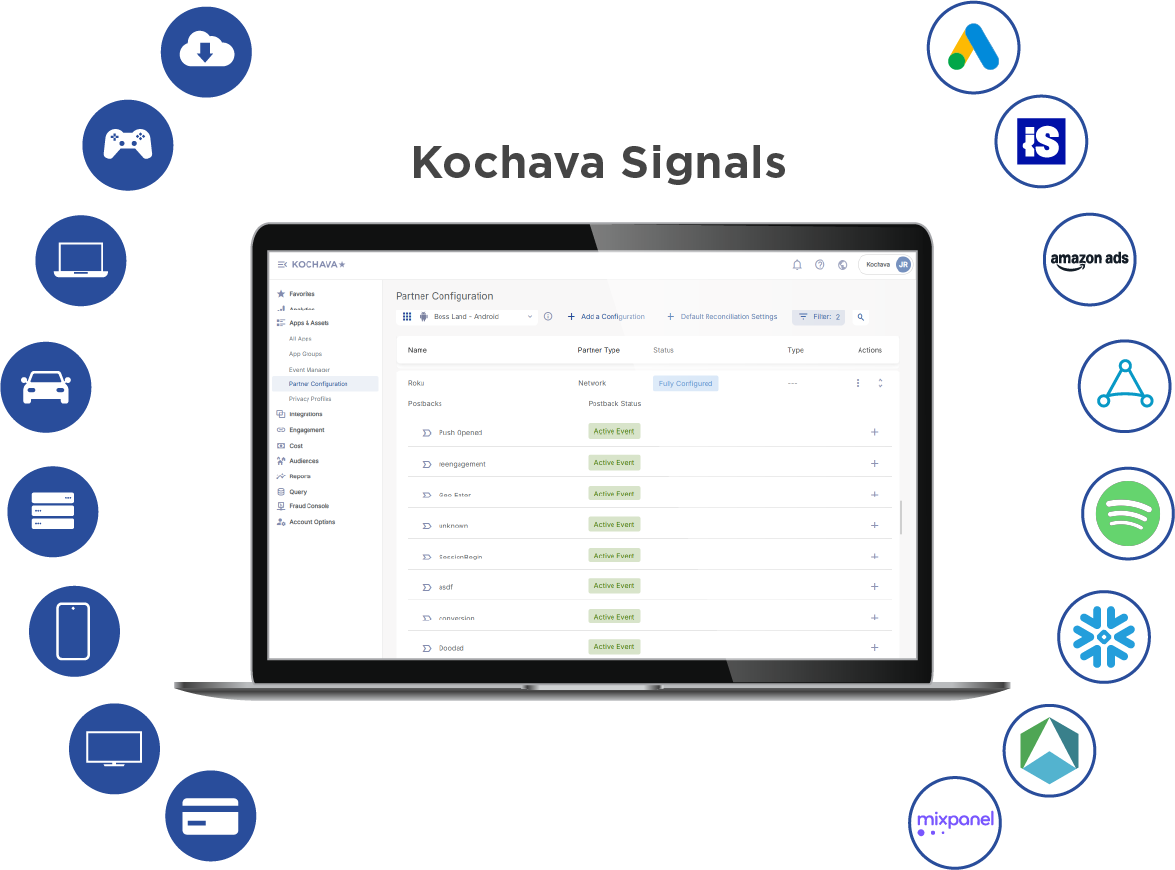
For more information about Kochava postbacks, please visit the related support documentation.
Our Commitment to First-Party Data Controls
Kochava brings clarity to complex, global marketing operations. Postback Country Filters continue this mission, giving you confidence that your first-party data goes only where it should, aligned with your strategy and obligations.
To learn more about Kochava postbacks, additional settings, or configuration best practices, contact your Client Success Manager or email support@kochava.com.
To receive product updates directly to your inbox, subscribe to our newsletter.