How to avoid 7 common MMM pitfalls
TL;DR Summary
The new MMM Data Validator tool from Kochava helps app marketers detect and proactively mitigate common data pitfalls (e.g., broken spend data, inconsistent naming, tracking gaps, missing context) that hinder implementation of marketing mix modeling (MMM). Providing clean, well-structured data is essential for building high-quality, fast-performing MMM. This is an ongoing, collaborative process, not just a one-time integration. Request an MMM consultation to learn more.
Is my marketing data MMM-ready?
This question is both common and critical for any organization considering marketing mix modeling (MMM). And the truth is that the insights and impact of your MMM efforts can only ever match the quality of data you input. Whether you’re building an in-house MMM or exploring a next-generation SaaS platform such as AIM by Kochava, hidden inconsistencies and blind spots in your marketing data will undermine modeling accuracy and slow down successful MMM adoption. Before you invest, you’ll want to ensure that your data foundation is built to support truly actionable, trustworthy modeling results.
Introducing MMM Data Validator From Kochava
To help detect and mitigate common data pitfalls early in the MMM adoption journey, Kochava has created an MMM data validator tool. Teams can upload data samples in CSV format (up to 2,000 rows) and quickly uncover common errors for proactive mitigation.
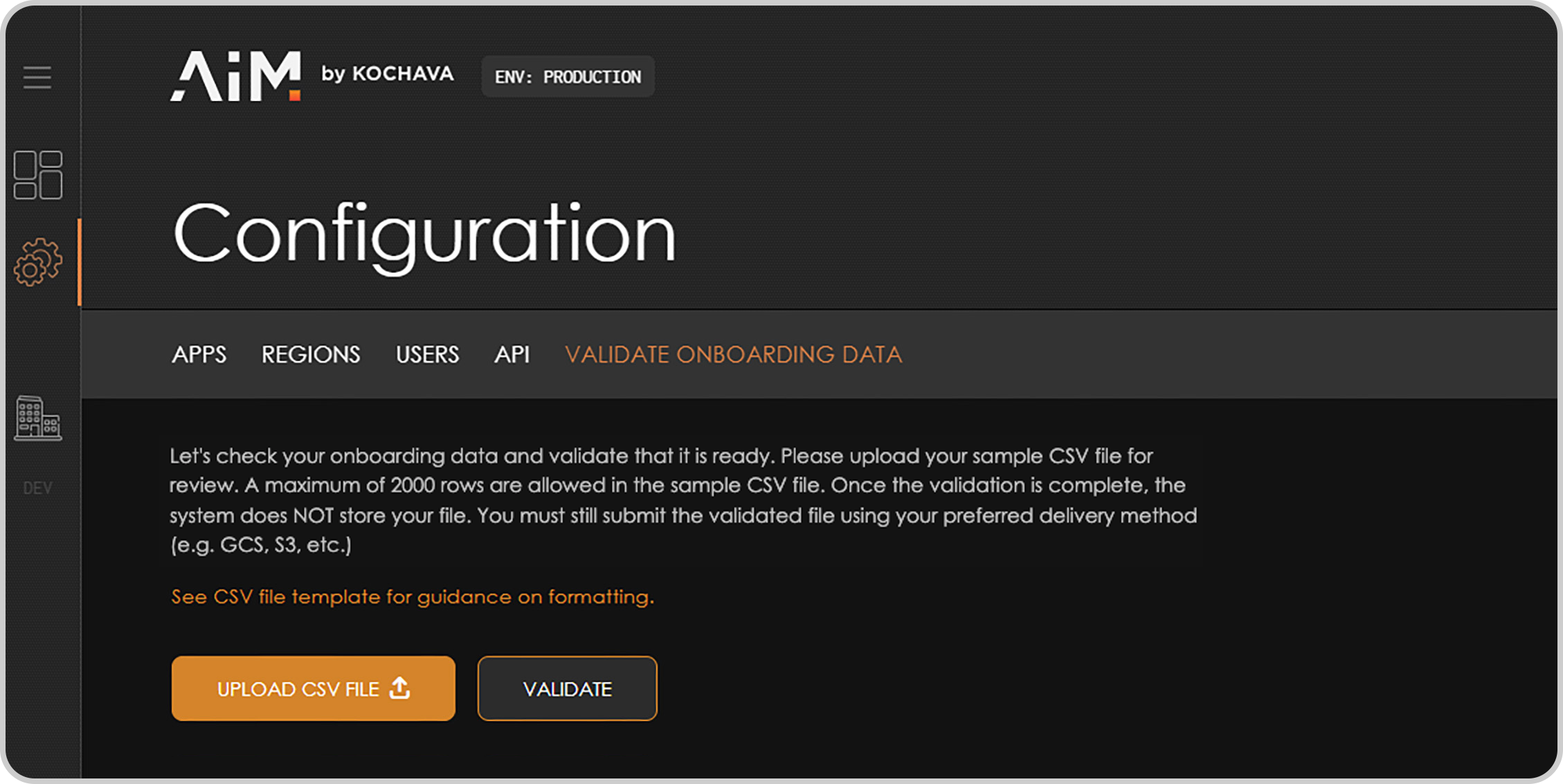
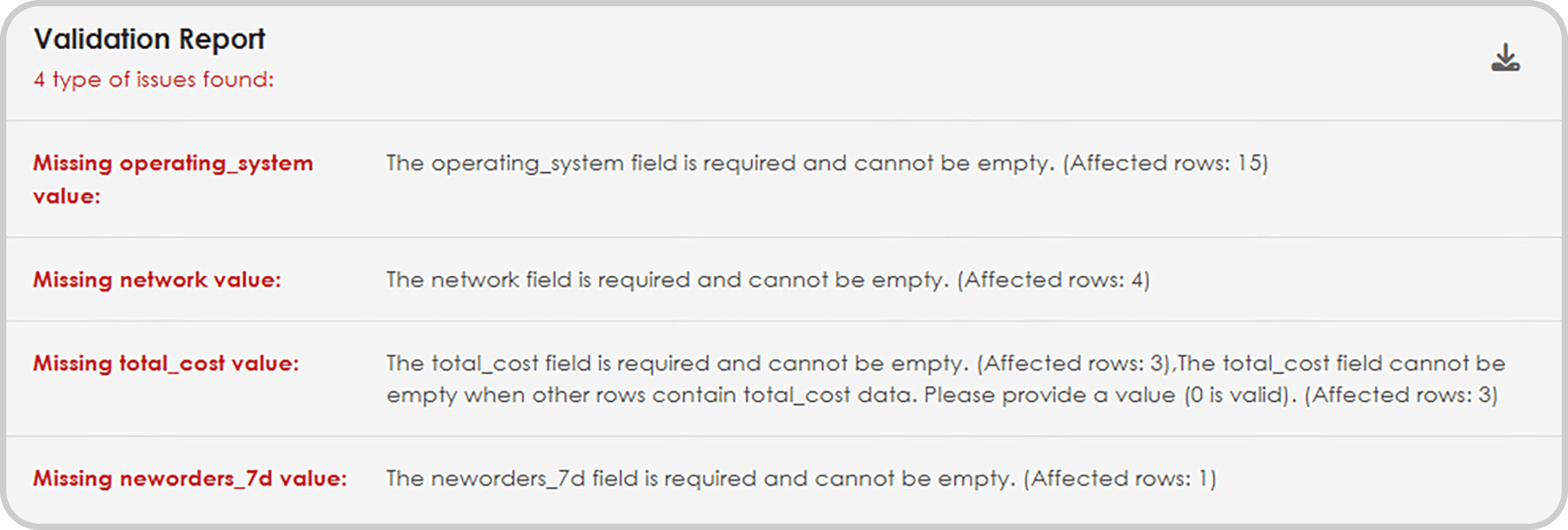
Through this self-serve data validation check, app marketers save hours or even days of back-and-forth troubleshooting and data investigation. All too often, when such issues aren’t corrected upfront, they create unnecessary delays and headaches during the model building and training phase.
When your data is clean and healthy, marketing mix modeling can be exceptionally fast. In fact, Kochava can build a high-quality model in as little as 6 hours with clean data. However, the principle of “garbage in = garbage out” holds true. To achieve better insights, you must provide better inputs from the get-go.
Request a consultation to learn more about data hygiene and the data validator tool.
7 Pitfalls That Cause MMM Headaches
If MMM adoption is on your horizon, here’s a breakdown of the seven most common pitfalls to proactively address now. None of these need be fatal if you catch them early and manage expectations.

MMM Pitfall 1: Broken or Incomplete Spend Data
Problem: Spend data is often siloed across MMP exports, spreadsheets, Google Drive, or S3 buckets. Mobile web cost data is notoriously error-prone, especially when MMPs attempt to assign platform-level costs (iOS vs. Android) and fail.
Why it matters: If spend is missing, mislabeled, or double-counted, your model can’t tie cause to effect accurately.
Fix: Ensure that spend data is complete and broken out by channel, geo, platform, and format. Tools like Supermetrics (which pulls raw cost data) typically work better than attribution-based cost ingestion.
MMM Pitfall 2: Inconsistent Naming Conventions and Taxonomy Drift
Problem: Campaign names, event names, or UTM structures change over time. “Install_event” becomes “registration_complete”; channels are renamed mid-quarter.
Why it matters: This breaks continuity in your dataset and creates fragmentation in the model inputs.
Fix: Maintain consistent naming conventions across platforms and campaigns. If changes are made, log them—so your MMM provider can account for them in preprocessing.
MMM Pitfall 3: Revenue Tracking Gaps (Especially for Subscriptions)
Problem: App revenue is often tracked inconsistently due to App Store delays, missing subscription events, or tracking handled by third parties.
Why it matters: When MMM can’t see conversions or revenue events clearly, it can’t correctly attribute performance to marketing.
Fix: Feed revenue data directly from source-of-truth systems (e.g., backend or subscription platform), not just MMPs. Account for App Store fees and refund behavior where possible.
MMM Pitfall 4: Unacknowledged Tracking Failures
Problem: Data doesn’t completely disappear—it just drops. Maybe an integration breaks or a tracking tag is removed. But the data isn’t zero—it’s just wrong.
Why it matters: If you don’t flag tracking issues, the model interprets dips in conversions or engagement as real—and falsely attributes them to marketing changes.
Fix: Always flag known tracking outages or inconsistencies. Modern MMMs can interpolate or exclude affected periods—but only if they’re aware of the issue.
MMM Pitfall 5: Poor Understanding of Cohorts
Problem: Teams often don’t structure data using cohorts (e.g., users acquired on Day X, and what they did over time).
Why it matters: MMMs (and UA generally) work best when events are organized by acquisition cohorts—especially for apps and subscription businesses.
Fix: Ensure that your data pipelines output cohorted metrics. This is especially critical for modeling user-level value, retention, or LTV over time.
MMM Pitfall 6: Missing External Context
Problem: Major external events—product outages, PR spikes, model launches, or seasonality shifts—aren’t logged.
Why it matters: The model sees an effect but has no context for the cause—breaking attribution logic and skewing output.
Fix: Track external events in a structured format. These can be integrated into the model and prevent false attributions like “TikTok spend caused that spike” when it was actually press coverage.
MMM Pitfall 7: Expecting a One-Time “Onboarding”
This final pitfall is less about the state of your data and more about a state of mind—your expectations.
Problem: Teams think MMM is a one-and-done integration.
Why it matters: MMM is not a dashboard—it’s a living model. It evolves over time through new data, marketing experiments, and calibration.
Fix: Set expectations internally that MMM is a collaborative, ongoing process. You don’t “complete” MMM. You maintain and improve it—just like any high-leverage analytics product.
Get Your Data MMM-Ready
MMM doesn’t fail because it’s slow. It fails when the data you use for modeling isn’t ready.
Want to know if your data is MMM-ready? Book a demo to explore our data validation tool.