Personalize your Kochava SmartLinks via Open Graph metadata
TL;DR Summary
Kochava SmartLinks now supports Open Graph (OG) metadata, giving app marketers the ability to configure custom link previews, also called rich previews. This enables fully branded titles, descriptions, and images to display when a SmartLink is shared over SMS/iMessage or reposted across social platforms including Instagram, Facebook, Messenger, WhatsApp, and X. Instead of a plain URL or generic thumbnail, your audience now sees a visually rich, on-brand card, increasing the chances they’ll notice, trust, and tap it. Configuration can be set as a default for an entire App Group, then overridden at the individual SmartLink level whenever a marketer wants a more bespoke, link-specific look.
Open Graph (OG) metadata support is now available with Kochava SmartLinks™. SmartLinks you use for SMS campaigns, deep-linked promotions, or organic social sharing can now render as rich previews—fully branded visual cards complete with a custom title, description, and image—rather than a plain URL or generic thumbnail.
A shared link is a visual moment, whether it lands in a text thread or social feed. Customizable rich previews make the link stand out in a chat, sparking curiosity and engagement. The branded preview also fosters trust that the link is official and safe, which translates into up to 30% higher click-through rates and stronger conversion performance.
If your team relies on SmartLinks for retargeting or social sharing, this update was built with you in mind. It’s a simple way to drive reengagement through a more personalized, fully branded experience, whether inside iMessage or out in the wild on social.
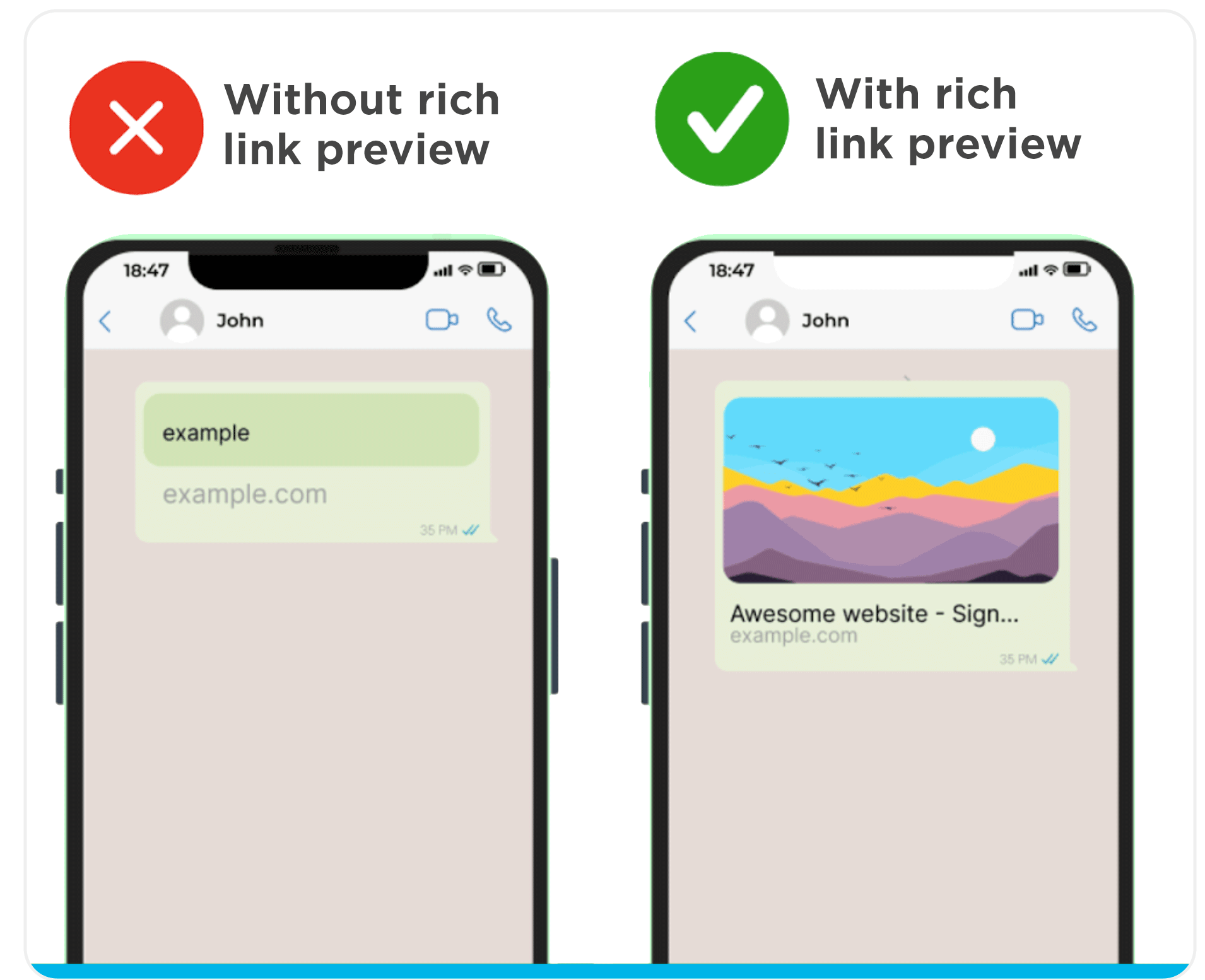
How It Works: Rich Link Previews via Open Graph Metadata
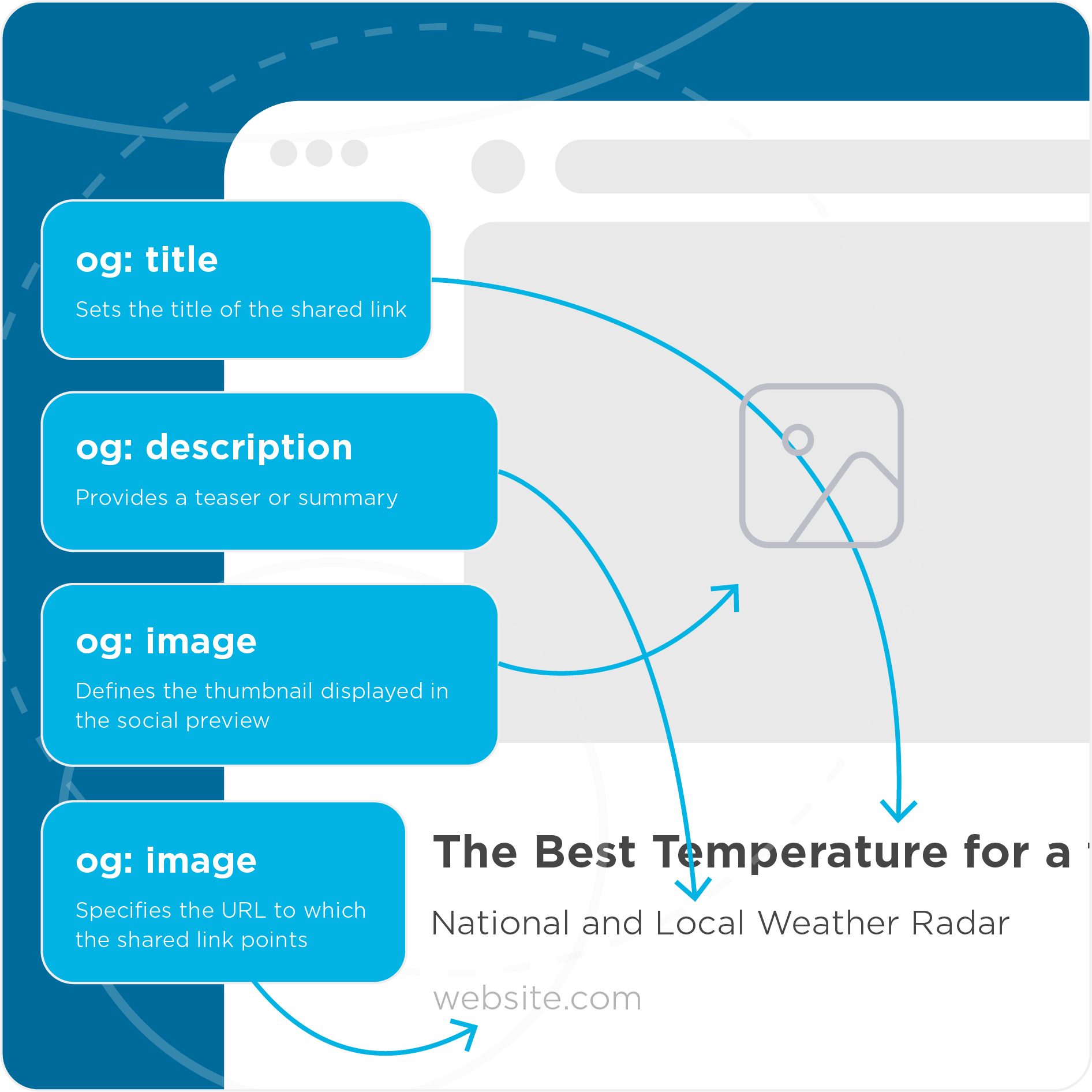
Under the hood, SmartLinks link previews are powered by Open Graph metadata, an open standard that governs how links render across the social and messaging ecosystem. iMessages in iOS, iPadOS, and macOS automatically generate inline previews for links people send in SMS. By default, these render as plain gray bubbles showing the page title, domain, and a small icon. By implementing Open Graph metadata, these previews become far more impactful with customized images, titles, and descriptions.
Within Kochava, you can configure link preview fields for title, description, and image URL. Images need to be at least 300×200px and under 300KB. If you don’t provide a custom image, the experience simply falls back to your thumbnail logo, so there’s no risk of a broken preview.
Link previews can be managed at two different levels:
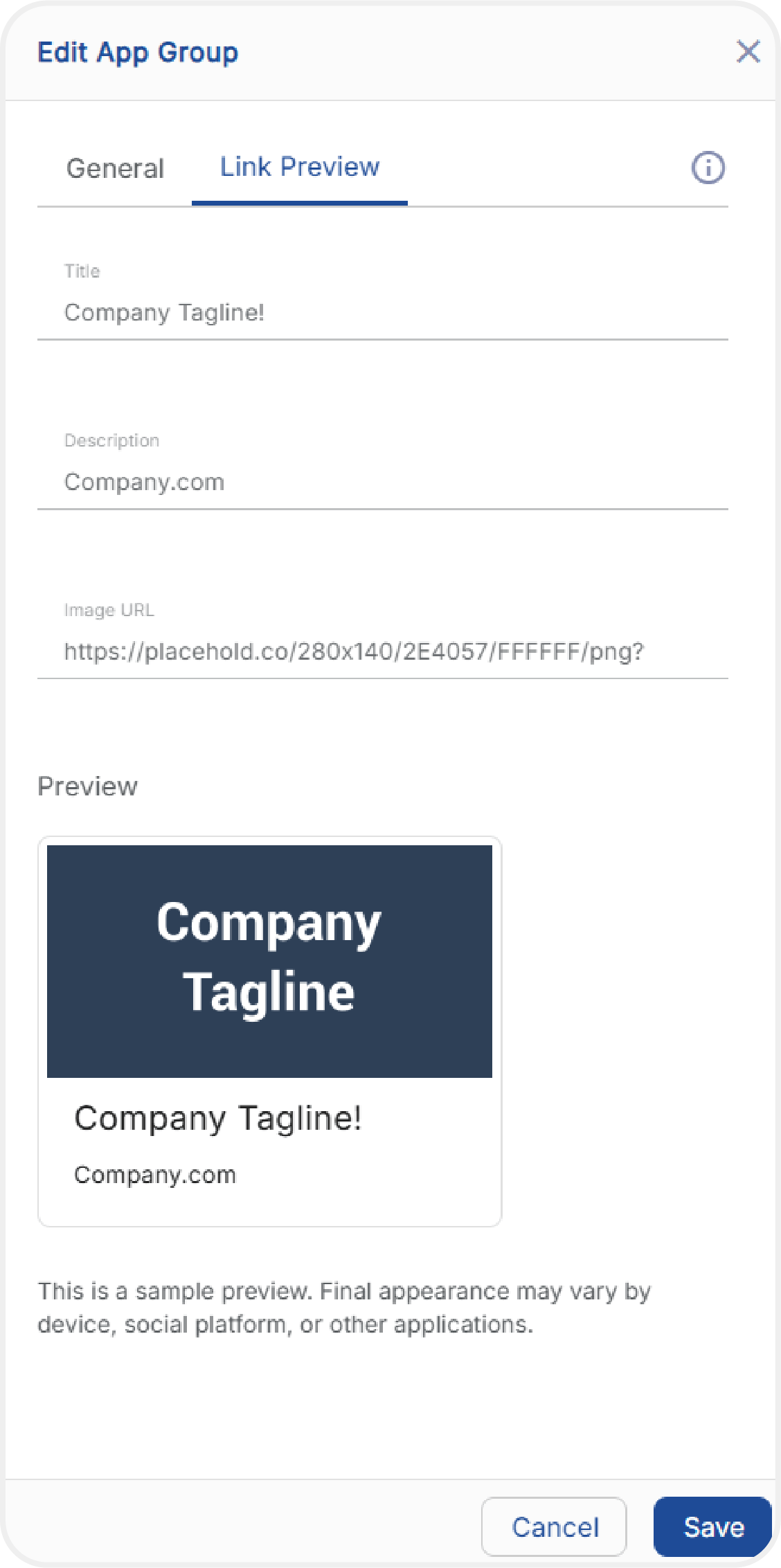
1. App Group
App Group level default link previews apply to all SmartLinks contained under an App Group.
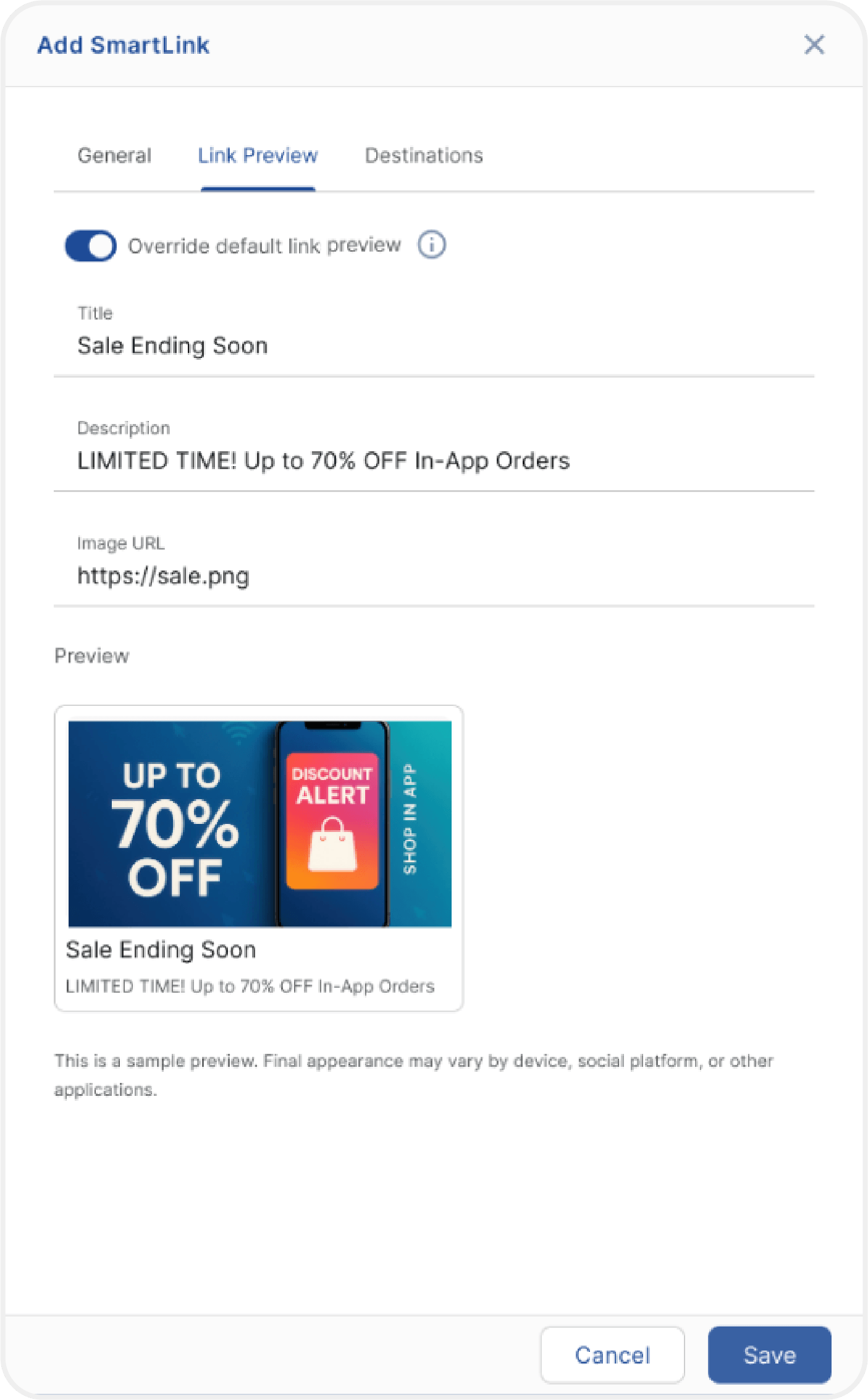
2. SmartLink
If a SmartLink has an active custom preview configured for the App Group, the SmartLink inherits this configuration by default. You can customize an individual SmartLink to override its App Group default. An individual SmartLink retains its own configuration, even if the App Group is later updated.
View further details on link preview setup in our support documentation.
Leveraging Rich Link Previews: Two Use Cases
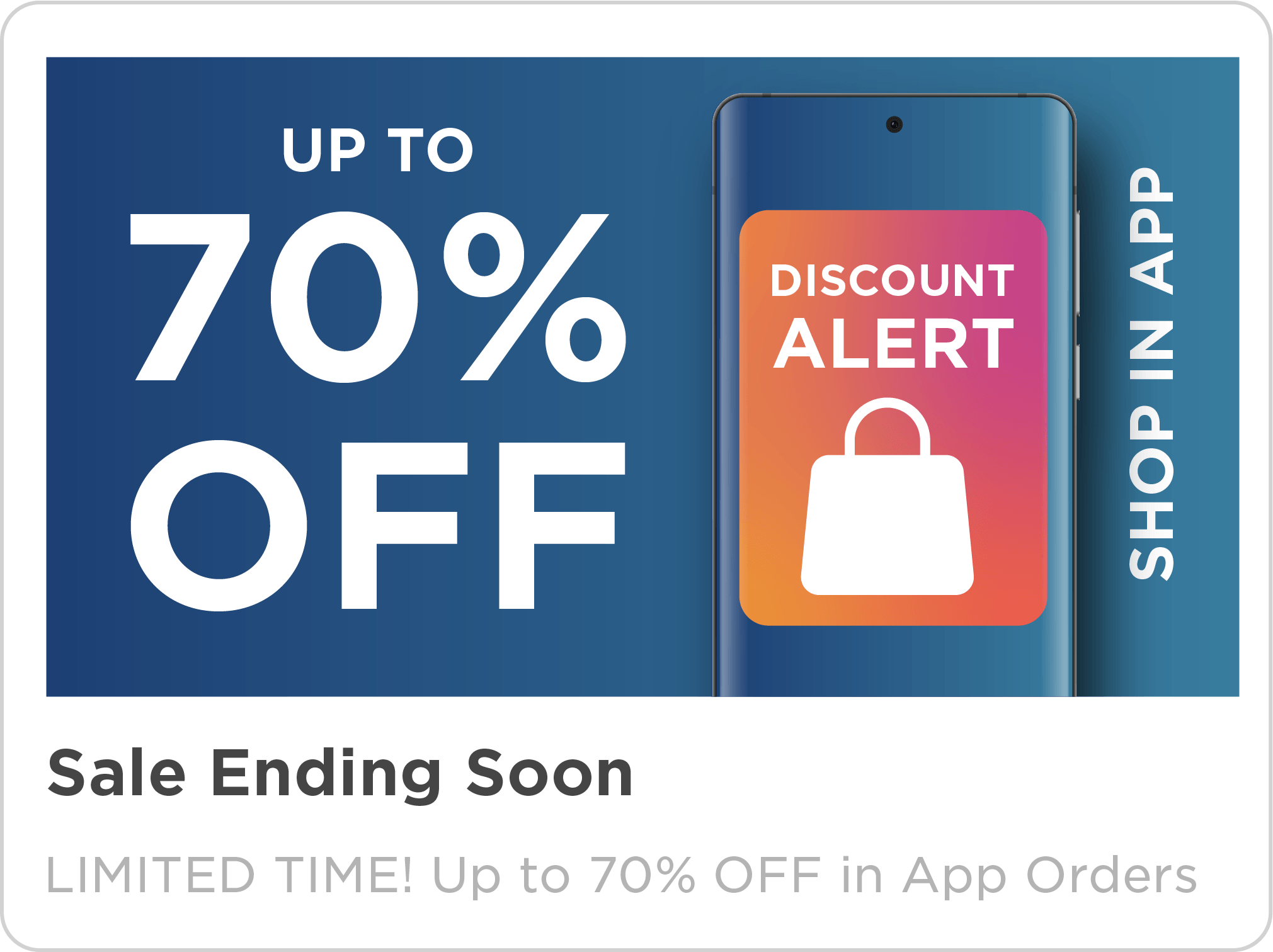
1. Branded SMS/iMessage Campaigns
You’re running an SMS campaign with a deep link to an in-app promotion.
You configure the link preview for the SmartLink. Any users who have given permission to receive messages via iMessage receive a rich link preview with a full-sized, branded image and custom title and description, right inside the message thread. Users who click the enhanced link preview are routed directly into your app with the promotion applied and ready for checkout.
2. Organic Social Reshares
You share a SmartLink in a social post to your followers. When they share it further into any social platform that supports Open Graph metadata, everyone downstream sees the same fully branded, personalized link preview you configured at the App Group or SmartLink level. iOS users see an App Preview Page with your app name, icon, and metadata-enhanced preview before they’re redirected. This means a consistent, on-brand look even several shares removed from your original post, across all social platforms that support Open Graph.
Getting Started With Rich Link Previews
Link previews are available now for Kochava clients using SmartLinks. Log in to your Kochava console; head to your App Group or SmartLink settings; add your title, description, and image; and you’re ready to turn your shared links into branded visual cards.
For step-by-step setup instructions, visit the support documentation: Setting Up Custom Link Previews for App Groups and SmartLinks.
If you have questions about configuration, platform-specific behavior, or how this fits into your broader deep linking strategy, reach out to your Client Success Manager or email support@kochava.com.
To stay in the know on all Kochava product updates, subscribe to our newsletter.
Rich Link Previews FAQ
Is any development work required on my end to use this feature?
No SDK updates are required to use custom link previews. You do need the Kochava mobile SDK in your mobile apps, along with deferred deep linking configured on the link, to preserve deep link continuity for app installs.
What is Open Graph metadata?
Open Graph metadata, also called Open Graph tags or OG tags, is a set of special HTML meta tags placed in the head of a webpage that control how the page appears when it’s shared on social platforms like Facebook, LinkedIn, and others. In practical terms, OG tags tell a platform which title, description, and image to display in a link preview, rather than leaving it to guess.
Why do link previews look different depending on where a link is shared?
Each platform that supports Open Graph metadata, whether Facebook, iMessage, X, LinkedIn, or another messaging app, applies its own rendering rules, character limits, and caching behavior when generating a preview. Facebook in particular caches previews and routing for existing links, so an update may not appear for up to 30 days, and the preview can look temporarily broken until the cache clears. That’s why the same link can look slightly different depending on where a user sees it.
Do I need to write custom code to set up a link preview with Open Graph metadata?
While Open Graph metadata is technically implemented through meta tags in a webpage’s <head> section, Kochava SmartLinks let you, as everyday app marketers, configure the title, description, and image for a link preview directly in a console dashboard—no SDK updates or manual coding required.
Does a custom link preview actually improve click-through rate?
Yes. A branded, image-rich preview stands out more in a chat thread or social feed than a plain URL or generic thumbnail, and because it visually carries a brand’s identity, it also builds trust that the link is official and safe. The combination of visibility and trust tends to drive a higher click-through rate compared to an unbranded link.